Updates
You can now share notes and lineups with your team
Creating a team lets you view member notes and lineup cards all in one place. You no longer need to repeatedly paste strategies and lineups into Discord for Premier or your regular group.
Teams
- Create a team via "Create team" and invite members by sharing an invite link on Discord or other channels. Invite links expire after 7 days.
- When creating a team, you can choose to select and post notes and lineup cards yourself, or automatically display them with "Show all."
- The team home lists maps with posts and recent updates. A dot indicator appears on posts that have been updated since you last viewed them.
- Owners can post rules and announcements on the home page using the same format as notes. You can also pin notes, highlight featured maps, and change the header image.
- You can send "Helpful" and "Like" reactions to posts. You can see the reactions your posts receive and how many people have opened them.
- You can copy member posts directly to your own notes.
- Teams is free to use during early access.
Other
- When using the app for the first time, a getting-started guide now appears on the lineup page. Empty notes now display available content types (headings, images and videos, lineup cards, maps, and agents).
- You can now view examples for headers, name conversions, and tables from "How to use" under the "..." menu in notes.
- The account screen now displays the number of times your feedback was selected as "Great feedback" by the team.
Lineup Cards & Sharing on X
You can now share lineup cards via links, and share your notes and lineup cards directly to X.
Share on X
When you create a share link in the share dialog, you can preview the card as it will appear on X and open the posting screen directly from the "Post" button. The card displays the map image, agent, and title.
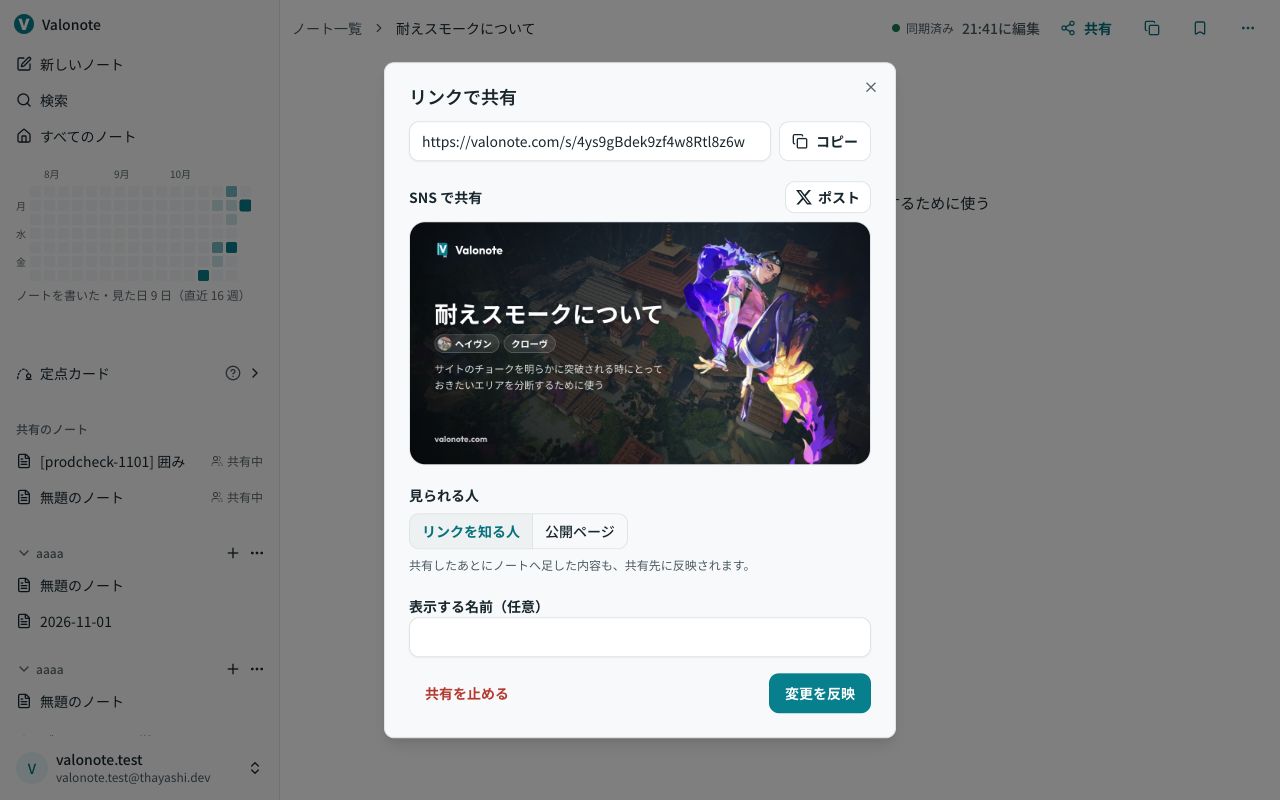

Sharing Lineup Cards
Lineup cards can now be shared via links just like notes. Recipients can copy them to use as their own lineup cards.
Storage
- Images and videos are now saved at an optimized size suitable for review. Existing media will also be gradually compressed to free up storage space while the app is open on your PC.
- Added a check to prevent adding images and videos that exceed the storage limit, even before logging in or while offline.
- Fixed an issue where shared images and videos were being counted twice toward storage capacity.
Other Updates
- Updated the entry button for adding lineups to "Add Lineup / Tech".
- Fixed an issue on iPhone where a save failure notification would repeatedly appear whenever opening bookmarks.
You Can Now Paste Lineup Cards into Notes
You can now paste created lineup cards into notes. We have also added text (.md) import and fixed synchronization when editing across multiple devices.
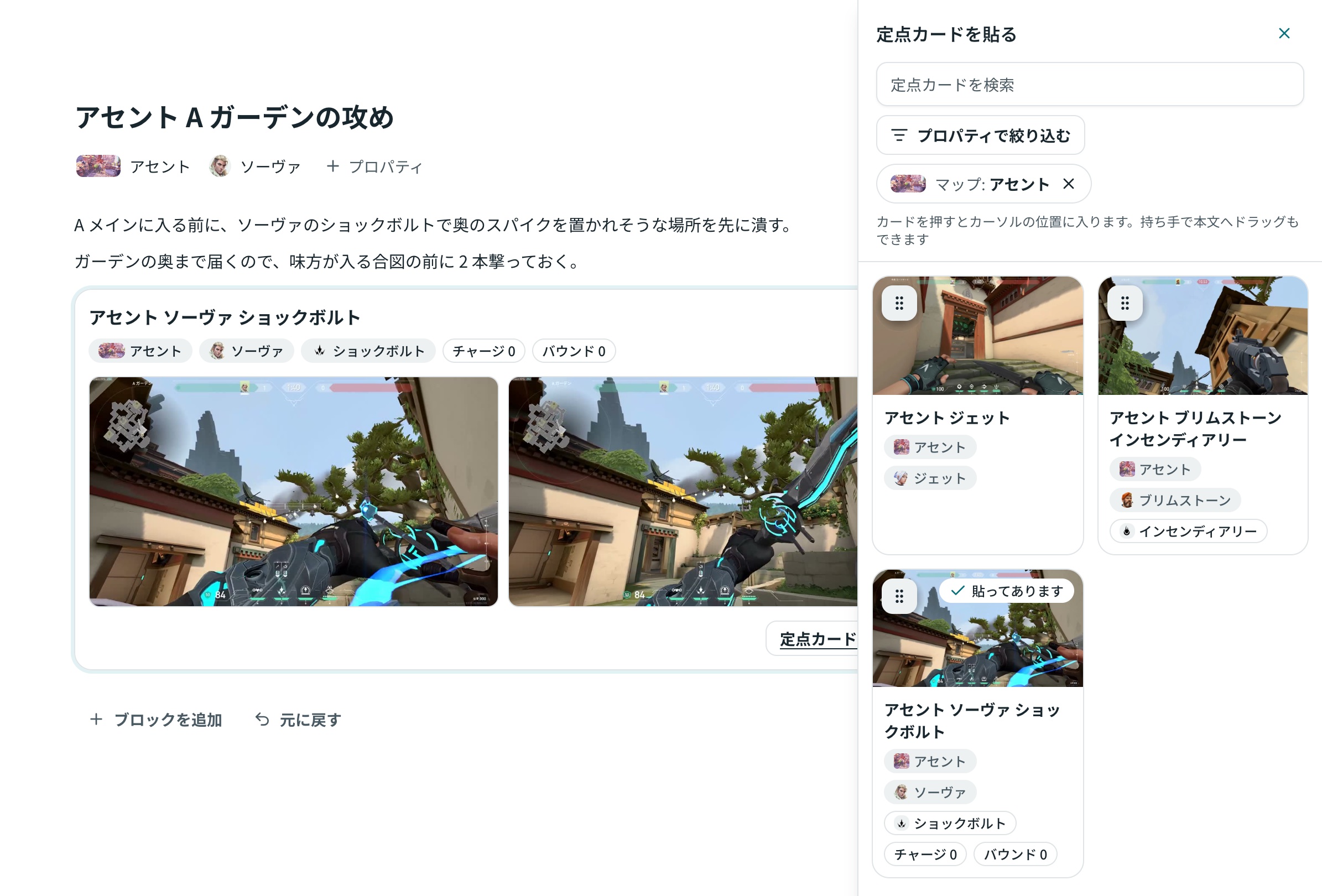
Pasting Lineup Cards into Notes
- With a note open, you can open the lineup cards panel, filter by map or agent, and click or drag to paste them into the body. The panel width can be adjusted.
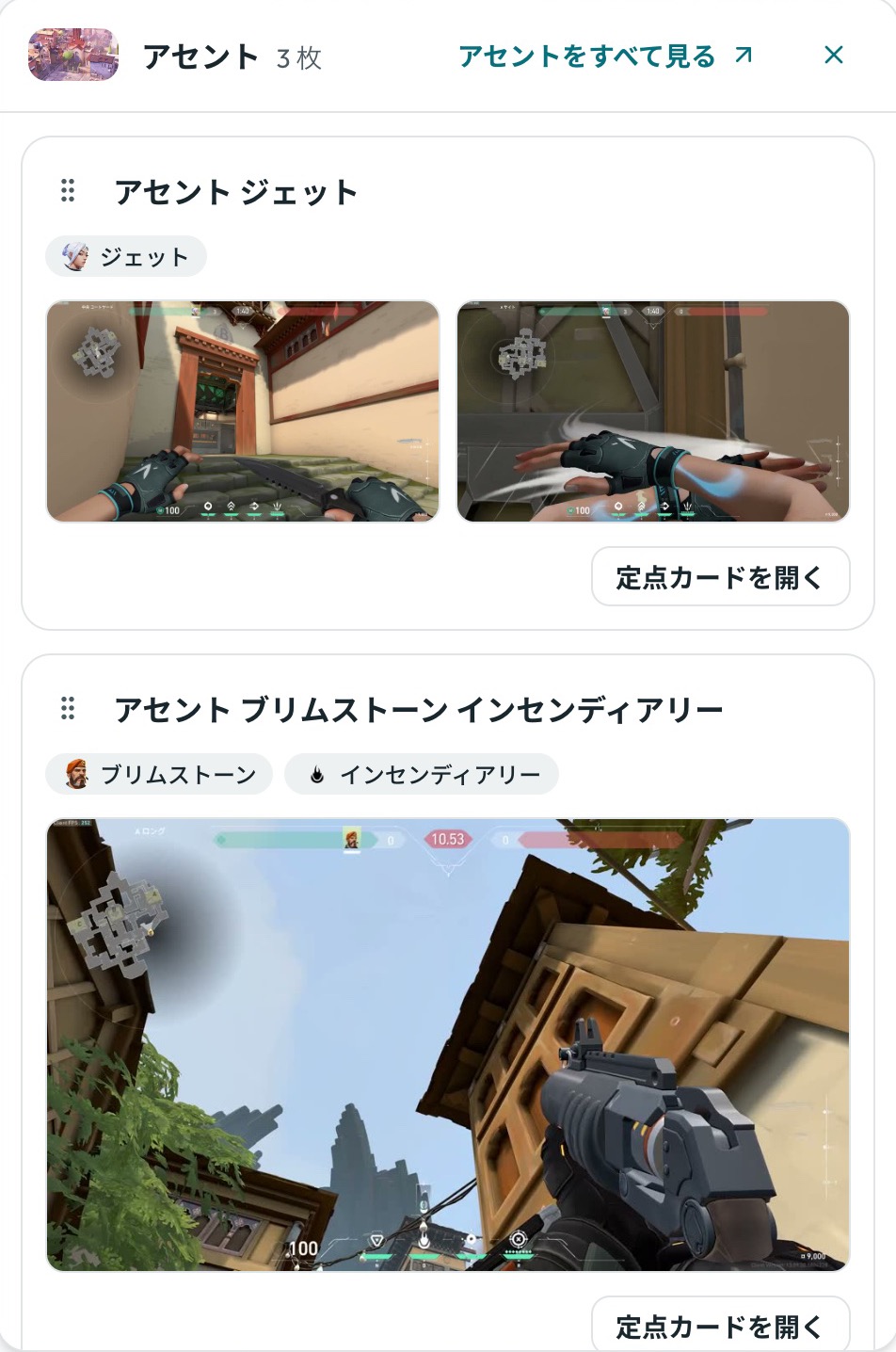
- Clicking a map's lineup card in the sidebar allows you to view all cards for that map enlarged on the spot.
- When opening a lineup card, fields such as Map, Agent, and Ability are visible immediately and can be edited directly. The same details appear on pasted cards.
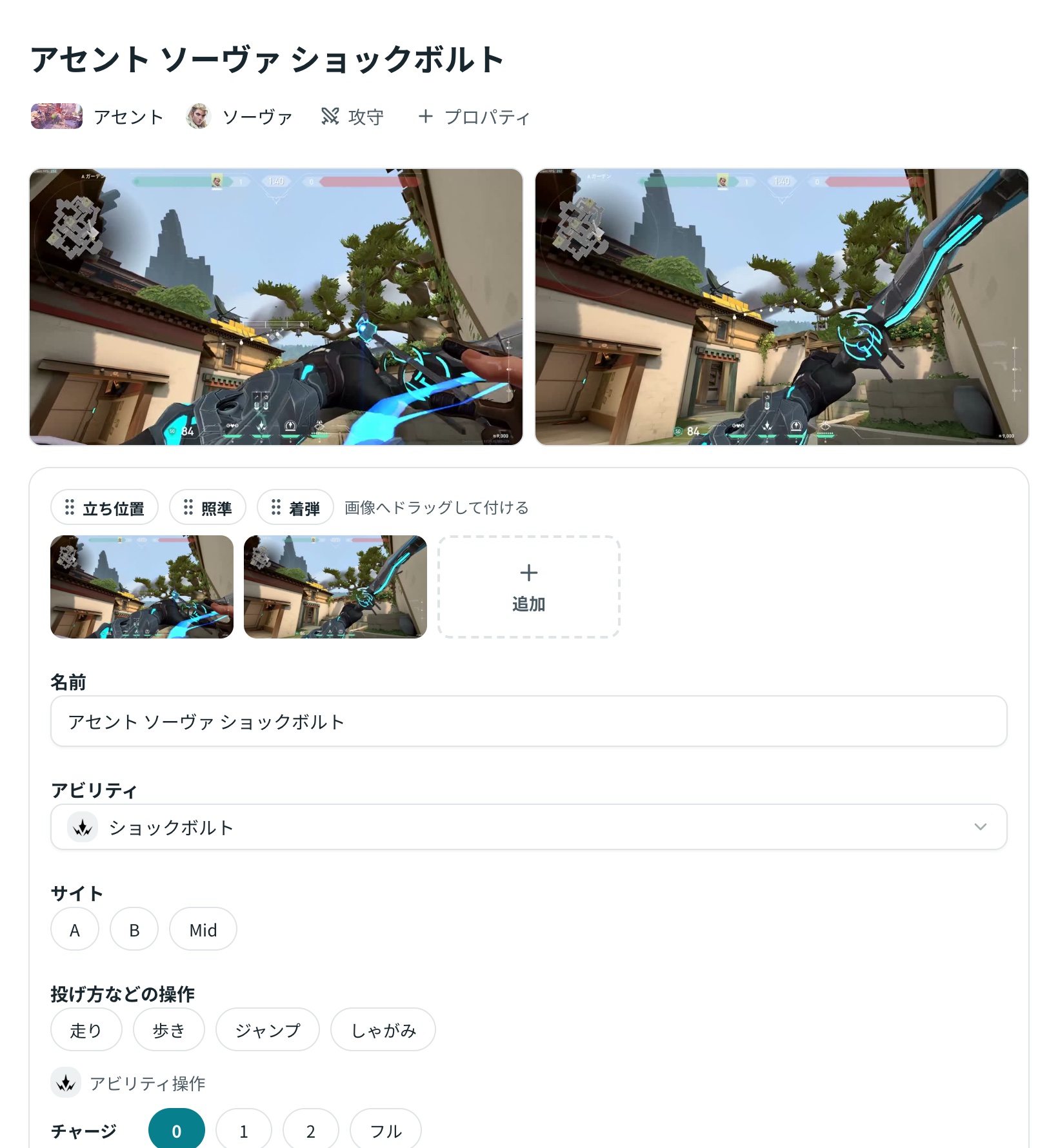
- Lineup cards can be saved without selecting a map. Cards without a map will display "Anywhere".
Bookmarks
- Dragging a note from one bookmark to another now moves it. A notification will appear upon reassigning, allowing you to undo the action immediately.
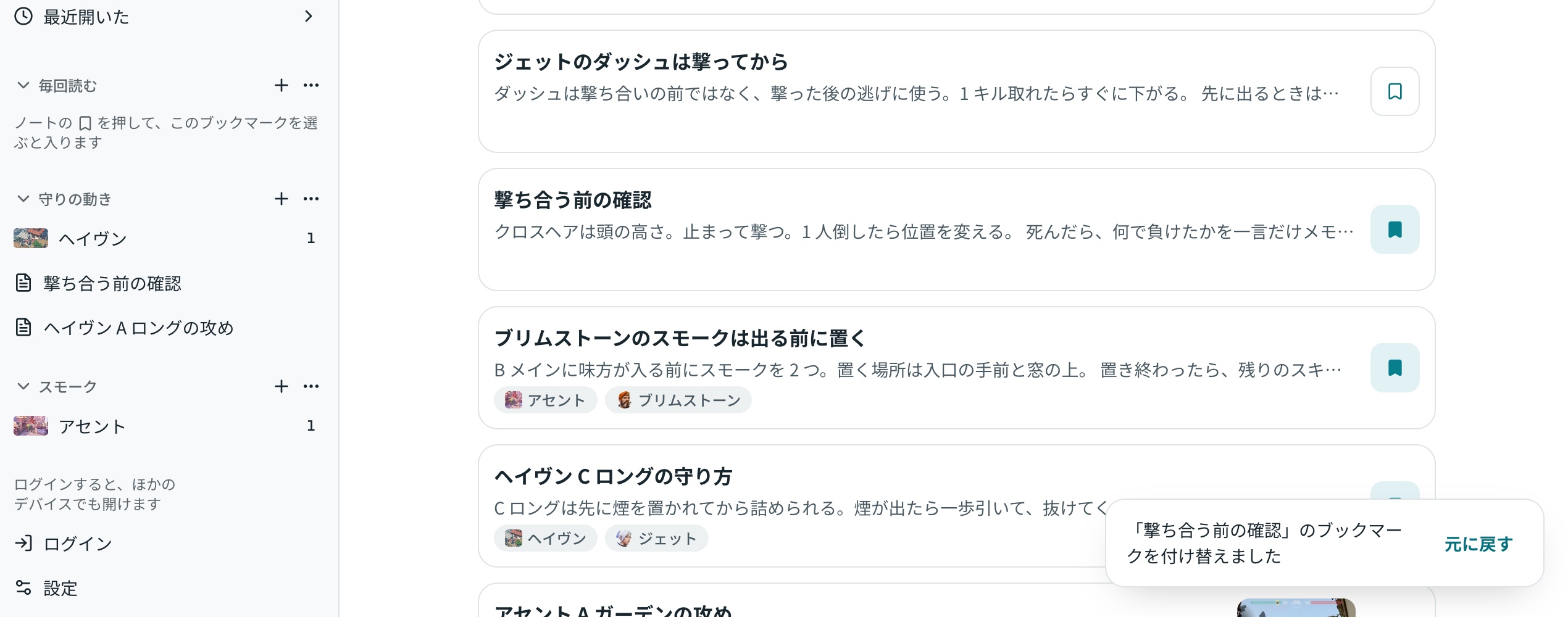
- Lineup cards are now organized exclusively under "Lineup Cards" in the sidebar. Any cards previously placed in other bookmarks will be unlinked from them upon opening the app. Cards will not be deleted and can be accessed from "Lineup Cards".
Import
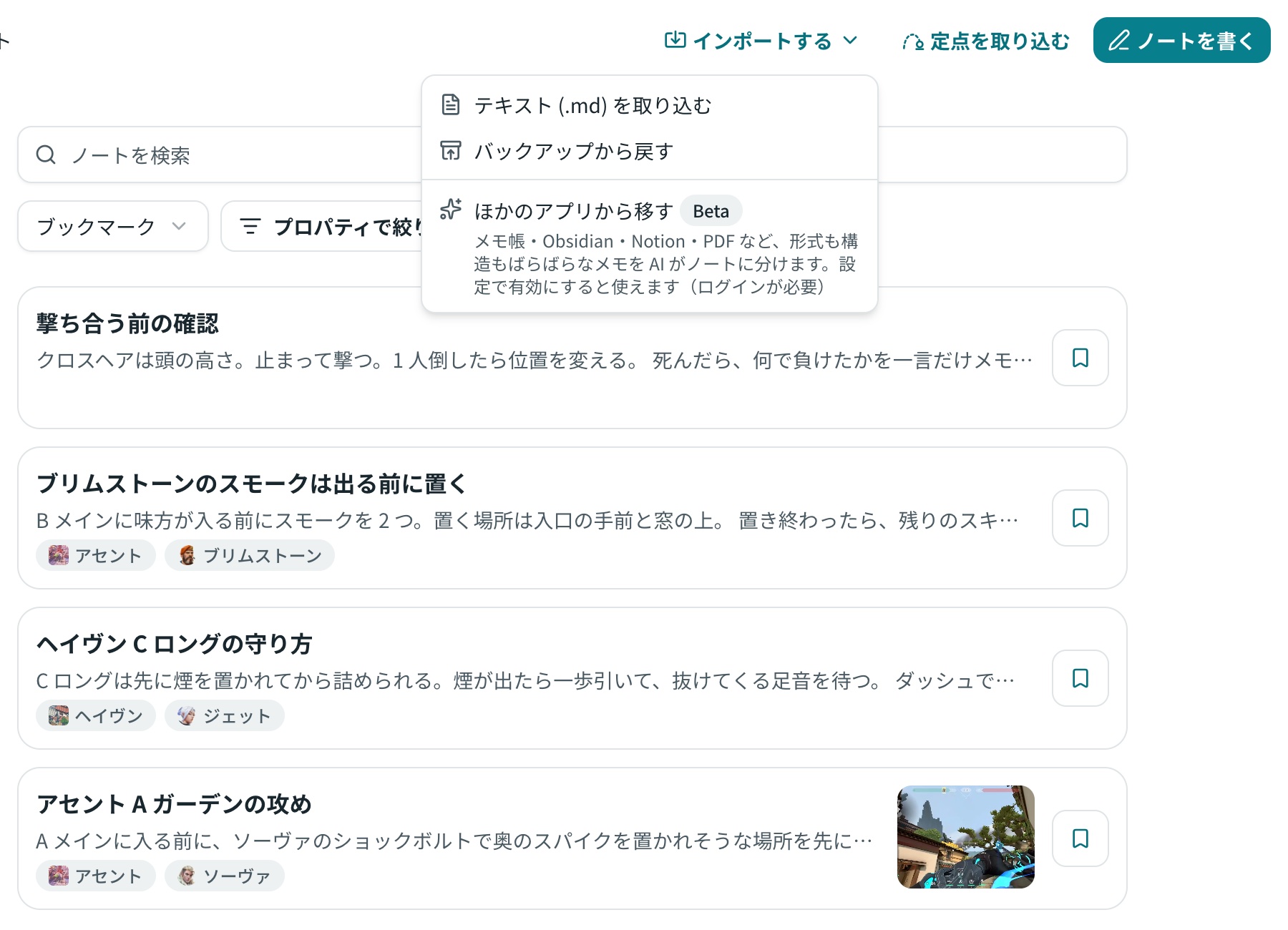
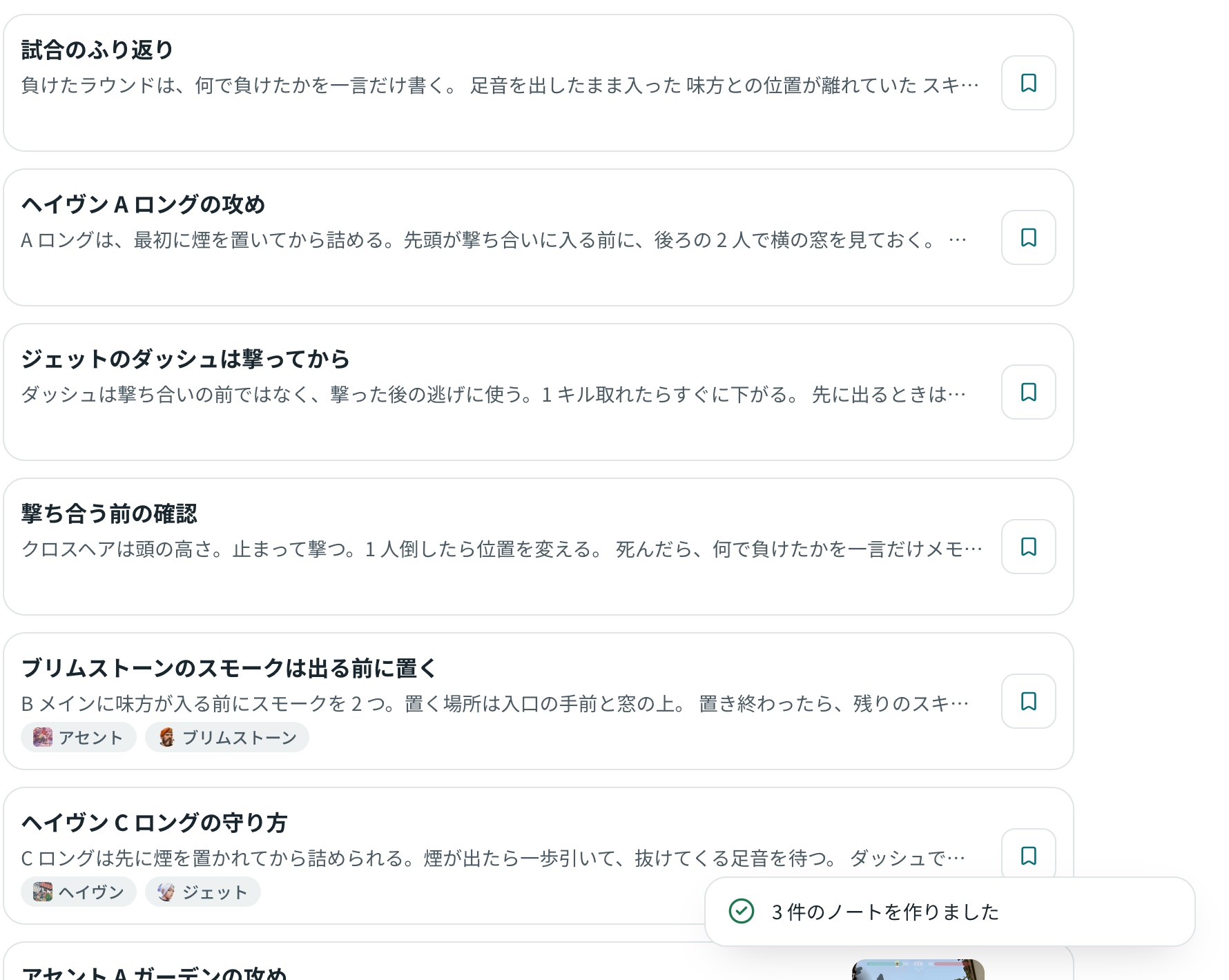
- You can now batch import text (.md) files from "Import". Files such as Obsidian vaults are converted directly into notes without using AI. Images remain in their original positions. Backup restoration has also been organized under the same menu.
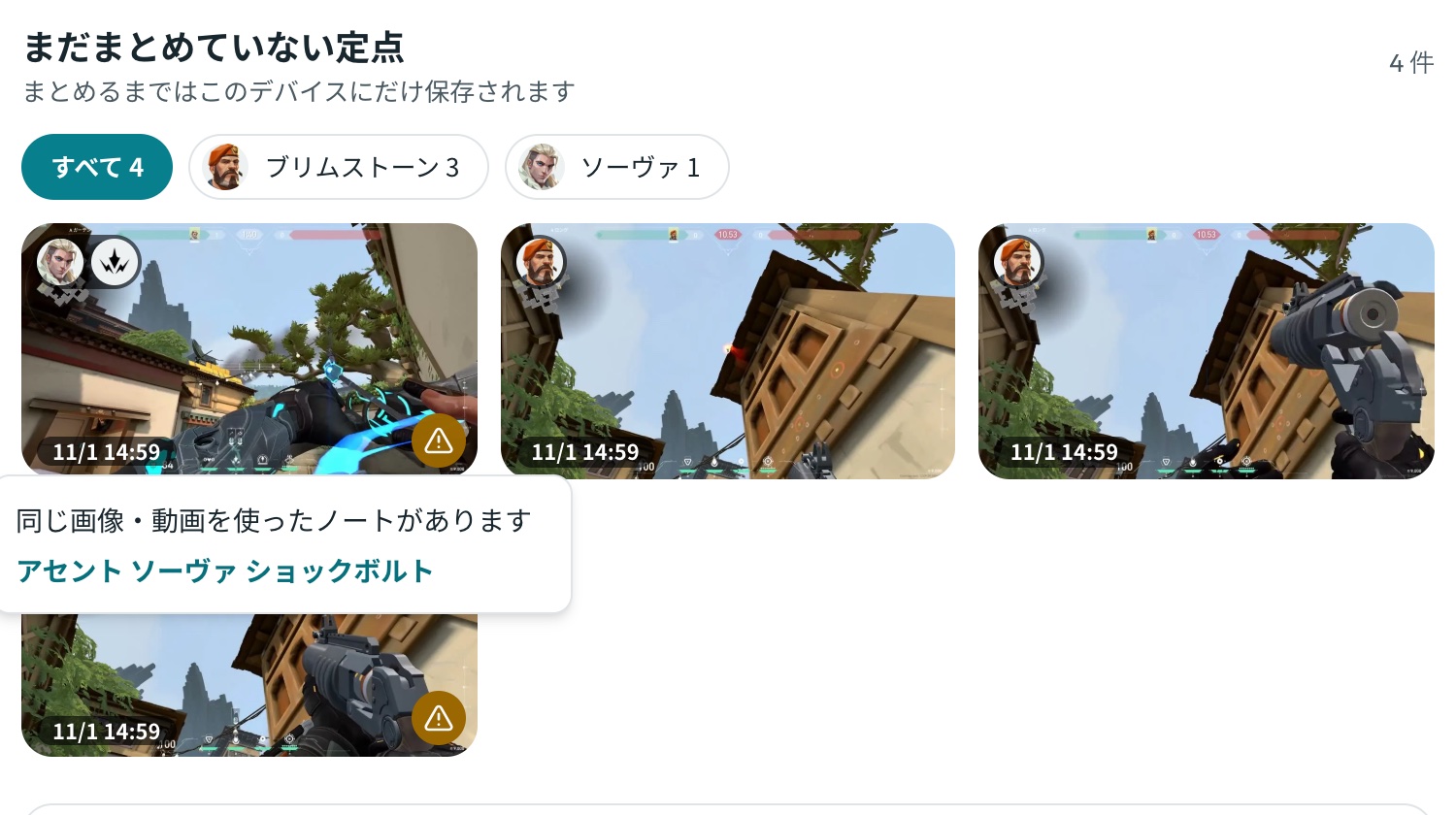
- When importing lineups, selecting images already saved in notes previously excluded them without notice. They are now added with an indicator on the tile, and clicking the indicator opens the note using that same image.
Sync
- When editing the same note across different tabs or devices, changes are now automatically merged block by block. The "Updated elsewhere" confirmation prompt will no longer appear.
Feedback
- You can now reply directly to staff responses on submitted feedback. Inquiry replies also arrive within the app, and you can choose whether to receive them via email.
Bug Fixes
We have fixed the following issues:
- On iPhone, the screen could freeze if storage became unreadable.
- During Japanese input conversion, if text shortened, subsequent typing could jump to the beginning of the paragraph.
- Immediately after logging in, saving an open note could repeatedly fail.
- Editing a note that was deleted in another tab while remaining open caused repeated resaving.
- Upon reloading, the note's "Edited at HH:MM" timestamp would revert to an older time.
- Pasting a broken image previously left an unreadable block behind. The app now displays the reason it cannot be pasted and leaves no block.
Improvements to Lineups, Drawing, and Performance
We have addressed usability issues and fixed several bugs.
Lineups
- Lineup-only notes previously mixed into "All Notes" have now been separated into "Lineup Cards." You can review them all from "Lineup Cards" in the sidebar, or insert and arrange them inside notes.
- Labels were previously limited to one each for "Standing Position" and "Landing Spot," but you can now add as many as you like to any image or video. Labels can also be added to specific video timestamps, and an "Aim" label has been added.
- You can now trim long videos down to clips of up to 30 seconds before inserting them.
- Sova charge levels previously only allowed 1 or 2 bars, making it impossible to record quick shots or full charges. You can now select from 0, 1, 2, or Full.
Image Drawing
- Line thickness was limited to only 2 levels, and drawings had to be erased and redrawn from scratch. You can now adjust size with a slider, select drawn lines or text afterward, and move, recolor, resize, or edit them.
Notes
- Agents in the header can now be moved to any position. Drag on PC, or press and hold on smartphones before moving.
- Heading 3, numbered lists, and nested lists are now supported.
Performance
- Note screens were previously generated on the server each time they were opened, taking about 0.5 to 1 second for the initial display. They are now served from nearby edge servers to reduce load times.
- The sidebar on smartphones now opens in 0.3 seconds instead of 0.5 seconds.
Bug Fixes
- Sync failures caused by network disconnections are now treated as connection failures. Sync will resume once connection is restored.
- Fixed an issue where failing to transfer pre-login notes would prevent post-login synchronization from running.
- Fixed an issue where parts of the text or list prefixes/bullets could disappear when using the beta import feature from other apps.